
☎️ Extensions
Part of the UsVox System Administration Web Interface Manual
Created by the UsVox Support Team
📌 Purpose
The Extensions section lets you manage the list of internal phone extensions within your IP Centrex environment. You can, update names or numbers, and assign each extension to a phone account— all without needing to reconfigure physical phones.

✏️ How to Edit or Remove an Extension
- To edit an existing extension:
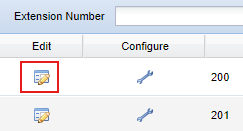
- Click the Extension Number or the Edit icon next to it.
- Update the number, name, or phone line as needed.
-
Click Update to save changes.
⚙️ Configure Extension Details
- For more settings:
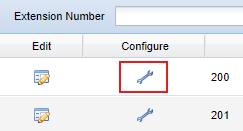
- Click the Configure icon next to the extension number.
- The Edit Extensions page will open.
- Some fields are read-only for security and system consistency.
-
To review Extension programming go to Account Web Interface instructions
✅ Next: Continue to the next manual section to learn about configuring Call Forwarding, Voicemail, and other IP Centrex features.
📞 Need Help?
If you need assistance managing extensions or phone line assignments, the UsVox Support Team is here to help:
📧 support@usvox.com
📞 1.855.MyUsVox (698-7869)
📱 Call Support at 1786-275-5888
HABLAMOS ESPAÑOL